
Create an Engaging Waterfall Chart for Your SharePoint SiteDiscover the unique qualities of a waterfall chart, a specialized type of bar chart designed to provide insightful visualizations. Unlike typical bar charts, the waterfall chart template is easily accessible for download at SharePointDashboards.com. Customize the chart's appearance to fit your needs, and seamlessly integrate it into your SharePoint list with a straightforward copy-paste method. Particularly advantageous for tracking changes over time, such as across the 12 months of a year, waterfall charts effectively illustrate month-to-month progress. Easy-to-follow tutorial videos show you just how effortless it is to implement these charts in SharePoint. As one of over 35 charting options on SharePointDashboards.com, new users can sign up and enjoy access to 21 complimentary templates, broadening the scope of data visualization possibilities. |
July 1, 2025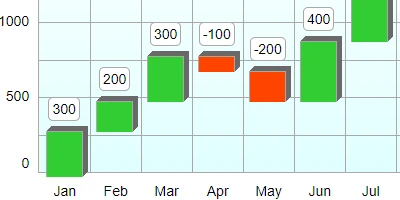
|
Enhance Your SharePoint Site with Personalized Button NavigationEffective navigation is crucial for SharePoint sites, and using buttons can make it both attractive and user-friendly. SharePoint Dashboards offers a Button Navigation template that's a quick and straightforward solution for adding navigation buttons to your site. Customize the appearance of your navigation buttons easily-with options for font color, background color, hover effects, and text styling via intuitive dropdowns and color pickers. The template is simple to apply; just copy and paste it from the SharePoint Dashboards site into your own. There's no need for app installations. New users can get access to 21 free templates. SharePointDashboards.com makes implementing button-style navigation a breeze. Additionally, the site offers a variety of other navigation templates to explore. |
June 30, 2025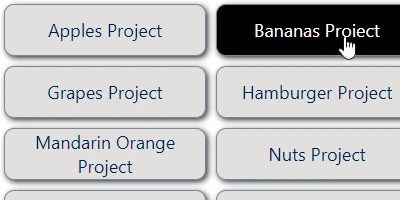
|
Enhance Your SharePoint Site with Sticky NotesAlmost everyone relies on sticky notes to remember tasks. With the Sticky Notes template on SharePoint Dashboards, you can easily transform your SharePoint list into an engaging, interactive board filled with virtual sticky notes. This board's appearance is fully customizable, allowing users to effortlessly add or update notes using the SharePoint list view. The virtual notes maintain the familiar colors of traditional sticky notes, enhancing your digital workspace. If you enjoy having a reminder board that mirrors the sticky notes on your desk, this template is sure to impress. Setup is a breeze: simply select your desired style, then copy and paste the template into your SharePoint site. New users can also explore 21 free templates by signing up at SharePointDashboards.com. This template is just a glimpse of the hundreds available, waiting to elevate your SharePoint experience. |
June 29, 2025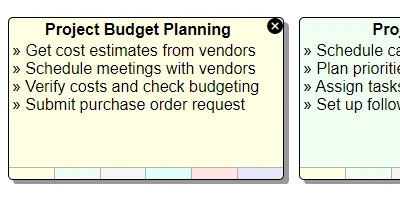
|
Enhance Your SharePoint List with a Checklist Input FeatureDiscover the power of efficient task management with SharePoint's interactive checklists. By utilizing the Checklist Template from SharePointDashboards.com, you can effortlessly transform a multiselect choice field into a dynamic checklist. This innovative template empowers users to update tasks directly from the SharePoint list view with ease. Customize the appearance to suit your preferences at the SharePoint Dashboards website, and enjoy the simplicity of set-up. Simply adjust your settings, then copy and paste the template into your SharePoint choice field-no installation needed. This streamlines your workflow, eliminating the need to repeatedly open SharePoint forms for updates. New users can explore with 21 free templates, among the extensive collection offered at SharePoint Dashboards. Dive into this seamless solution to enhance your SharePoint experience. |
June 28, 2025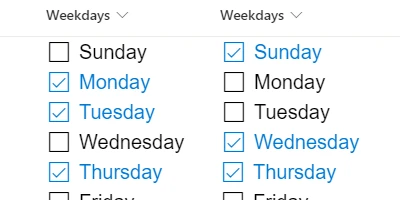
|
Enhance Your SharePoint List with Radio Button OptionsExplore how radio buttons can transform your choice fields on SharePoint by visually displaying all options simultaneously. This innovative column formatting template lets you easily update list items right from the SharePoint list view, streamlining the process and enhancing efficiency by eliminating the need to open separate forms. You can customize the appearance of your radio buttons, including color, border, and size, to match your preferences. Applying this template is straightforward-simply adjust your settings at SharePointDashboards.com and copy the template into your SharePoint choice columns. This is just one of the many templates offered at SharePointDashboards.com, where new users can access 21 free templates to start with. Dive into the various possibilities to make your SharePoint lists visually appealing and more functional. |
June 27, 2025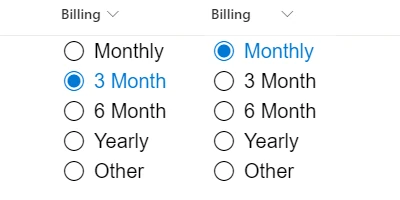
|
Enhance Your SharePoint Lists with a Number Slider InputNumber fields in SharePoint lists can often seem static, but integrating a number slider control transforms them into an interactive experience. This intuitive tool allows users to adjust values smoothly in defined increments, with a visual display reminiscent of a bar chart that enhances user engagement. Unlike traditional number fields, this approach provides an immediate graphic representation and easy modification directly within the SharePoint list view, making the interface more vibrant and user-friendly. Implementing this feature is straightforward: simply copy the template from SharePointDashboards.com and enhance your list. This number slider template is just one among hundreds offered, with a starting package of 21 templates available for free, inviting you to explore more creative ways to enrich your SharePoint experience. |
June 26, 2025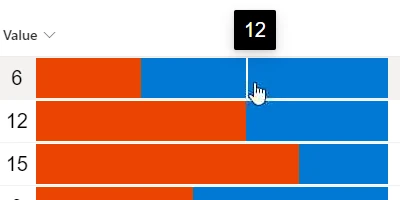
|
How to Create a Download Feature for SharePoint LibrariesSharePoint libraries play a crucial role in the functionality of SharePoint, primarily serving as the central hub for file sharing. Enhancing these libraries to be more user-friendly can be easily achieved by integrating a download button next to each file. This feature allows users to obtain the files they need with a single click. Implementing this tool is simple-just copy and paste the template from SharePointDashboards.com into your SharePoint list. In just a few steps, you can add these download buttons seamlessly. As part of a vast collection, this template is one of many available at SharePointDashboards.com where new users can sign up for access to 21 complimentary templates. With hundreds of options to choose from, you can significantly optimize your SharePoint libraries using the templates offered at SharePointDashboards.com. |
June 25, 2025
|
Effortlessly Organize Tasks with SharePoint List BoardsDiscover how to create an efficient and user-friendly custom task list in SharePoint with ease. Our custom task list template at SharePointDashboards.com simplifies the process of adding and updating tasks through a sleek, responsive grid view. This SharePoint template is designed for seamless updates, allowing you to prioritize and assign tasks effortlessly with just a few clicks. With color-coded status indicators, tracking progress becomes straightforward, offering a clear visual overview. To set up the template, you only need to tweak a few settings before copying and pasting it directly into your SharePoint list. This template is just one of several task list templates available at SharePointDashboards.com. For those interested in implementing visual indicator templates on their SharePoint site, SharePointDashboards.com has you covered. Sign up today with just your name and email to access 21 free templates! |
June 24, 2025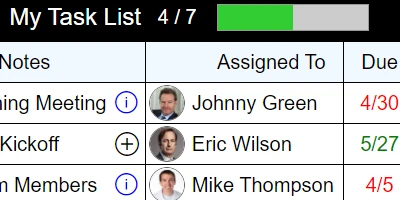
|
Transform SharePoint List Rows Using the Background Color Picker TemplateSharePoint's default settings can leave lists looking lackluster, making it challenging for users to quickly grasp information like status and priority. Enhance the visual appeal and clarity of your SharePoint lists with the Background Color Picker template available at SharePointDashboards.com. This tool empowers you to effortlessly apply background colors to rows, making crucial data stand out. Simply copy and paste the template directly into your SharePoint list, and you'll be able to highlight important entries like critical records in yellow or completed tasks in green. Tailor the color coding to fit your workflow needs. It's easy to get started, with new users gaining access to 21 free templates. For those eager to transform their data visualization in SharePoint, SharePointDashboards.com offers the ultimate solution. |
June 23, 2025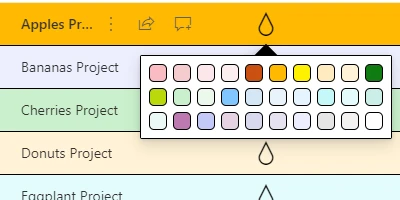
|
Enhance Your SharePoint List with an Icon SelectorIcons play a crucial role in enhancing SharePoint lists by providing visual indicators for status and priority. By leveraging icons, users can adopt effective visual data management strategies. SharePointDashboards.com offers a versatile Fabric Icon template that allows users to select from a wide array of icons through an intuitive popup window. This template is customizable with hundreds of icon options and is simple to implement; just copy and paste it into your SharePoint list. Users can swiftly update icons directly from the SharePoint list view, simplifying record updates with just a click. To explore this and other templates, new users are invited to sign up and gain access to 21 free templates. SharePointDashboards.com boasts a vast collection of templates, with no app installation required. Embrace effortless icon integration and enhance your SharePoint experience today. |
June 22, 2025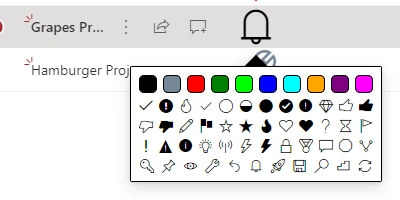
|
Enhance Your SharePoint Experience with Dynamic Area ChartsExplore a compelling alternative to the commonly used Pie Charts with Area Charts, which bring a vivid new dimension to your data presentations. Like Pie Charts, Area Charts represent proportional values, but they utilize sleek rectangles instead of wedges. Integrating an Area Chart into your SharePoint site is a breeze-simply copy and paste the ready-made template from SharePointDashboards.com. You can personalize your chart in numerous ways, adjusting colors, borders, fonts, sizes, and more. This chart is just one of over 35 dynamic charting tools available. With SharePointDashboards.com, you gain access to a robust charting platform for SharePoint, offering easy onboarding with just your name and email to unlock 21 complimentary charting templates. Dive in and discover the potential for enhancing your data visualizations. |
June 21, 2025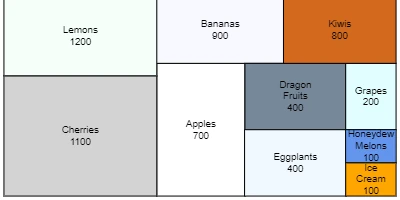
|
Integrate Visual Diagrams Seamlessly into Your SharePoint PlatformsFlow Charts play a crucial role in simplifying and understanding complex processes by providing visual clarity. If you're using SharePoint, you might wonder about the most effective way to create these flow charts. SharePointDashboards.com offers a specialized Flow Chart template that integrates seamlessly with SharePoint lists. Just input your steps and configurations, then easily transfer the template from SharePointDashboards.com into your SharePoint list. You have a variety of customization options at your disposal-from choosing colors, backgrounds, and fonts to selecting shapes and more-all within the template. Ready to enhance your workflow? Simply copy and paste the finished product to your SharePoint list. With over 35 charting templates available and 21 free to start, dive into creating your ideal flow charts today. |
June 20, 2025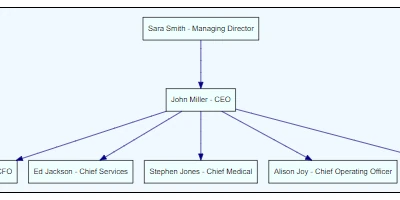
|
Discover the Pinnacle of SharePoint Calendars with Calendar PlusThe standard SharePoint calendar has limited functionality, often leaving users wanting more customization options. Enter the Calendar Plus template from SharePointDashboards.com-the ideal upgrade for anyone seeking a more robust SharePoint calendar experience. This template allows you to enrich your scheduling by adding up to 8 personalized events each day, complete with unique icons and color coding. Access detailed event information effortlessly with a convenient hover feature that reveals essential details like location, links, and meeting specifics. More than just an aesthetic enhancement, this template transforms your calendar capabilities far beyond the original SharePoint offering. Quick to install and easy to integrate, you can download it straight from SharePointDashboards.com and apply it to your SharePoint setup in minutes. For those in search of a superior SharePoint calendar solution, don't miss the accompanying video for additional insights. |
June 19, 2025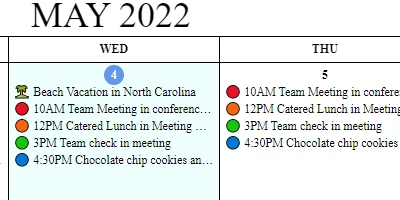
|
Streamlined Data Entry Blueprint for SharePoint ListsThe Input Logging Template is a practical tool for quickly setting up a logging input within your SharePoint list, enabling users to easily add incremental updates to a notes field. This can be done right from the SharePoint list view. Implementing the template is straightforward: simply copy and paste it from SharePointDashboards.com into your SharePoint list. Users can seamlessly add to the notes by typing their update and clicking the Add button, all within SharePoint itself. This capability streamlines the update process by eliminating the need to open a separate SharePoint form. As one of the many templates offered by SharePointDashboards.com, it offers substantial time savings and efficiency. Begin with 21 free templates and consider a subscription for full access to the complete collection. |
June 18, 2025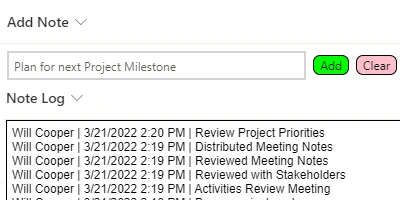
|
Enhance Your SharePoint List with Multiline Text Input FieldsExplore the pivotal role of multiline text input fields in enhancing your SharePoint lists. These versatile fields are perfect for accommodating extensive content such as notes, descriptions, and updates. The Multiline Text Input template from SharePointDashboards.com enables seamless editing directly within the SharePoint list view. You can easily customize the text area's appearance, selecting your preferred font, text size, and color palette to suit your style. Enhance the user experience with optional features like hover effects and scrolling. Discover one of the many templates available at SharePointDashboards.com that can elevate the look and functionality of your SharePoint lists. Implementing these templates is hassle-free-simply copy and paste them into your SharePoint list. Whether you're aiming for improved aesthetics or greater usability, SharePoint Dashboards has the perfect solution for you. |
June 17, 2025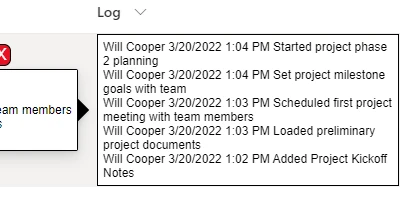
|
Transform Your SharePoint Command Bar Using a Simple TemplateDiscover how simple it is to personalize the command bar in SharePoint lists and libraries to suit your needs! With the Command Bar template from SharePointDashboards.com, you can effortlessly add or remove options, and even tweak the wording without hassle. This intuitive template allows you to modify options through a user-friendly visual interface, catering to your specific requirements. It's particularly beneficial for hiding irrelevant options from users. While many default options are available, creating a streamlined and focused user experience is within reach. If you're looking to customize the command bar interface without diving into code, SharePoint Dashboards is your go-to solution. Don't miss your chance to access 21 free templates today-sign up now! |
June 16, 2025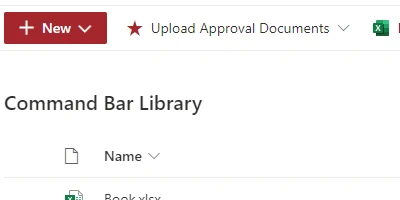
|
Enhance Your SharePoint Date Field with the Date Input TemplateDiscover how you can enhance the functionality of SharePoint's date field with the innovative Date Input template from SharePointDashboards.com. This template revolutionizes the way you handle dates by allowing for direct edits within the SharePoint list view and featuring convenient increment buttons for easy adjustments. No more form openings are required to update dates, increasing your efficiency. The template also offers customizable date appearances, ensuring a tailored fit for your needs. Best of all, it's free and part of a collection of 21 complimentary templates available upon registration. Dive in to explore the endless possibilities and see how SharePointDashboards.com can transform your site with a vast selection of visual-friendly formatting templates. |
June 15, 2025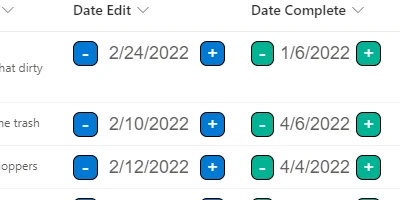
|
Explore Creating an Interactive Navigation Structure for Your SharePoint SiteCreating effective navigation is essential when designing SharePoint sites, especially if you're aiming to construct a hub with numerous links. A fantastic tool for this purpose is the Navigation Tree template from SharePointDashboards.com. Offering up to three levels of linked navigation, this template is perfect for displaying extensive lists of entries, while allowing customization to align with your brand's identity. It's ideal for any SharePoint page that requires a detailed link structure. With easy setup, apply your preferences on SharePointDashboards.com and seamlessly integrate it by copying and pasting into a SharePoint list. Discover the potential of this template, one of the hundreds available, and start by getting your first 21 templates free. |
June 14, 2025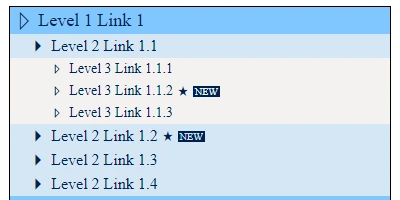
|
Enhance Your SharePoint Lists with Easy Date Increment FeaturesHandling dates is a frequent necessity in SharePoint lists, whether for organizing tasks or monitoring progress. Managing due dates is particularly critical. SharePoint lists offer date increment buttons that enable you to modify dates effortlessly with just one click, right from the list view, eliminating the need to open a separate form. By implementing the Date Increment buttons template from SharePointDashboards.com, you can easily enhance your list's functionality. These intuitive buttons are conveniently located next to your date fields, simplifying the process of date adjustments. This is just one option among various date formatting templates available. Getting started is straightforward, with new users gaining access to 21 complimentary templates upon signing up. If you aim to streamline date management on your SharePoint site, this efficient feature is a perfect solution. Curious to know more? Dive into the article to explore this functionality further. |
June 13, 2025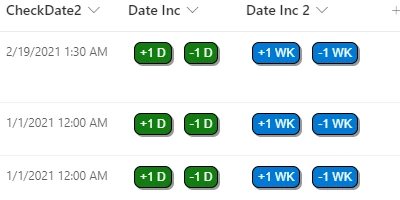
|
Unlock the Power of Toggle Buttons in Your SharePoint ListDiscover the ease of using a toggle button in SharePoint to effortlessly manage yes/no fields within your lists, similar to the functionality of a checkbox. This intuitive tool is designed to resemble the universally understood light switch, making it a favorite among users. Getting started is a breeze-visit SharePointDashboards.com to create a free account and access the Toggle Button Template, just one of 21 complimentary templates available for unlimited use. Customize its styling, then easily integrate it into your SharePoint column with a simple copy and paste. Beyond this template, explore an extensive selection of hundreds more, catering to everything from basic SharePoint enhancements to comprehensive charting solutions. Check out the accompanying video for a deeper dive into what's possible. |
June 12, 2025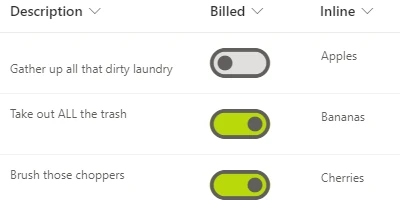
|
Enhance Your SharePoint List with a Custom Menu ButtonEnhance your SharePoint list experience by incorporating a menu button feature, which simplifies user interactions by offering quick access to additional actions for each list record. Typically, this menu is accessed via the subtle three-dot icon next to the Title field-a convenience often overlooked in its default form. By integrating a prominent, customizable menu button, users can effortlessly find essential options, aligning with your SharePoint aesthetic. This button design is just one example of the versatile templates available at SharePointDashboards.com. Leveraging such buttons can significantly improve the functionality and efficiency of your SharePoint interface. Discover a suite of 21 free templates to elevate your SharePoint environment. |
June 11, 2025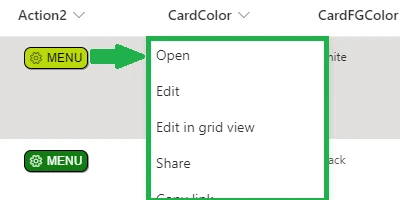
|
Enhance SharePoint Lists with Seamless Inline Field EditingEnhance your SharePoint experience by enabling quick and efficient updates with the Inline Edit Template. This innovative tool allows users to edit fields directly from the list view, creating a seamless, Excel-like experience for rapid modifications. It's perfect for times when fast data updates are crucial. Apply the template selectively to specific columns to maintain data integrity and avoid the risks associated with grid edit mode, where batch editing can lead to unintended changes. Available for free at SharePointDashboards.com, this template is a breeze to use-simply copy and paste it into your SharePoint field to get started. Discover this and countless other templates to make your SharePoint lists not only functional but visually appealing. Dive into the world of SharePoint efficiency today! |
June 10, 2025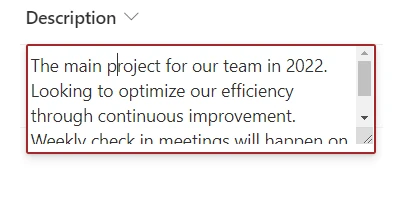
|
Enhance Your SharePoint Forms with Unique Header StylesEnhance your SharePoint lists with a dynamic form design that goes beyond the ordinary. The standard form that appears with SharePoint lists tends to be simple and lacks interactive features. However, you can significantly enrich it by utilizing the Form Header/Footer template from SharePointDashboards.com. This user-friendly template lets you create an eye-catching and engaging form header, with customizable styles including background color, text color, border settings, and font options. It's incredibly straightforward to implement; you can preview exactly how it will look before deploying. Once satisfied, simply copy and paste it directly into SharePoint. This is just one of the many templates available to elevate your SharePoint forms and lists. Begin exploring by signing up for a free account, where you'll receive access to 21 free templates. Dive in and transform your SharePoint experience! |
June 9, 2025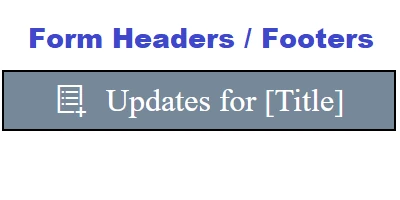
|
Enhance Your SharePoint Site with a Dynamic Grouped Bar ChartDiscover how to effectively present data comparisons across various categories with a grouped bar chart. Unlike separate bar charts, this chart type consolidates data for easy analysis. While SharePoint doesn't offer built-in support for these charts, and Power BI can be both costly and complex, SharePoint Dashboards offers a cost-effective solution. Access the Grouped Bar Chart Template and over 35 other chart templates with ease. Simply customize your settings at SharePointDashboards.com and integrate the template directly into your SharePoint site without any software installation. New users can try 21 templates for free. Explore a budget-friendly and straightforward way to enhance your SharePoint site with advanced charting capabilities on SharePointDashboards.com. |
June 8, 2025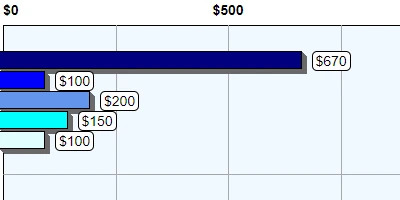
|
Integrating Bing Maps with Your SharePoint Lists for Enhanced FunctionalityManaging address data is a frequent requirement within SharePoint, as it often holds customer details, site locations, and other destinations in its lists. By utilizing the Bing Maps template from SharePointDashboards.com, you can bring these lists to life, transforming standard list views into engaging map displays right within SharePoint. Setting up the Bing Map template is straightforward - simply apply it to an address column in your list. SharePointDashboards.com makes this process seamless: adjust your settings, copy the template, and integrate it with your SharePoint list without any installations. Additionally, a range of mapping templates, such as Google Maps options, are available. Begin today with a free signup and access to 21 complimentary templates. |
June 7, 2025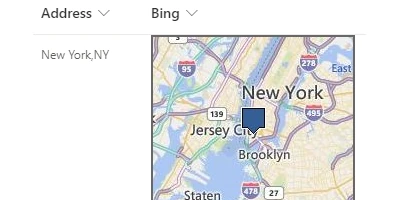
|
Discover How to Display Approval Overviews in a SharePoint ColumnApprovals play a crucial role in SharePoint, and enhancing this process can be straightforward and efficient. By using the Approval Summary template from SharePointDashboards.com, you can streamline your approval workflows significantly. This intuitive template offers a consolidated view of approvers and their approval statuses, accommodating up to ten approvers per record. What sets this template apart is its user-friendly design and simplicity. The approval column provides a clear summary of the process, making it easy to track progress. With a few steps to configure and implement, you can easily integrate this tool into your SharePoint setup by copying it into your list column. Additionally, it pairs perfectly with the Approval Button template, also available on the site, further simplifying your SharePoint approval management. |
June 6, 2025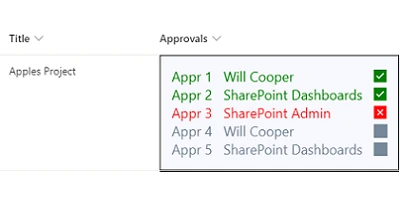
|
Unleash Weather Updates on Your SharePoint SiteEnhance your SharePoint experience by integrating valuable information that resonates with all users. At SharePointDashboards.com, you can access the Weather Forecast template to seamlessly embed a live weather forecast feature right into your SharePoint page. Among three unique weather-related templates on offer, you can choose to present current weather conditions, an upcoming forecast, or a real-time weather radar. Such insights are incredibly useful when planning your day at the office, alerting you to incoming rain, snow, or extreme temperature changes. This rich functionality is bound to increase user engagement on your site. With over a hundred versatile templates available, kick-start your customization journey with 21 complimentary templates from SharePointDashboards.com. |
June 5, 2025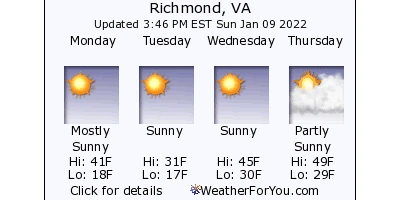
|
Implement an Efficient Asset Tracking Solution Using This Tailored TemplateAsset tracking is crucial for organizations, especially those utilizing technology-driven systems. SharePoint can serve as an effective platform for implementing an asset tracking system, and a visually appealing dashboard is essential for showcasing key data. The Asset Tracking Cards template available at SharePointDashboards.com offers an effortless solution with a simple copy and paste to enhance your asset tracking list. This dynamic template allows you to visualize assets through images and essential details such as status, location, make, model, serial number, quantity, and purchase date. It's far superior to a standard SharePoint list, enabling easy navigation of asset cards to quickly identify various equipment types and important updates. Setting up the template is straightforward-just copy and paste it into your SharePoint list and get ready to manage your assets efficiently within minutes. |
June 4, 2025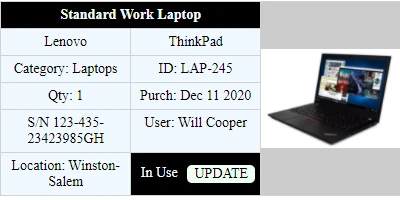
|
Stand Out: Identifying Active Users in SharePoint ListsDiscover the Highlight Me formatting template for SharePoint Dashboards, designed to bring the current user's tasks and projects to the forefront in SharePoint lists. This tool is perfect for emphasizing items that demand the logged-in user's attention. With simplicity at its core, users can easily customize their preferences at SharePointDashboards.com and seamlessly apply the template to their list columns. Part of the extensive collection in the SharePoint Templates Gallery, this template is among hundreds of others crafted to enhance functionality. New users can explore and utilize up to 21 templates free of charge, complete with helpful instructional videos. With SharePoint Dashboards, elevate the practicality and efficiency of your SharePoint site effortlessly. |
June 3, 2025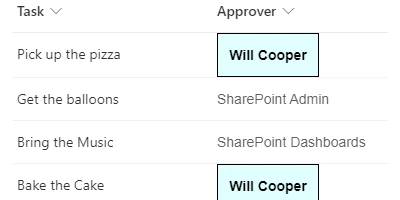
|
Transform Your SharePoint List into Engaging Event CardsEnhancing your SharePoint site with visually appealing event cards can effectively display information on upcoming events directly on your landing page. With the Event Cards template available at SharePointDashboards.com, you can set up these cards quickly and effortlessly. The template allows you to customize the size and style of your event cards to align with your unique branding. Updating event details is simple-just click the buttons at the bottom of each card. Implementing this template involves an easy copy-and-paste process from the SharePointDashboards.com website. It is part of a vast collection of templates designed to elevate your SharePoint site. Explore all the impressive options in the SharePoint Dashboard gallery. |
June 2, 2025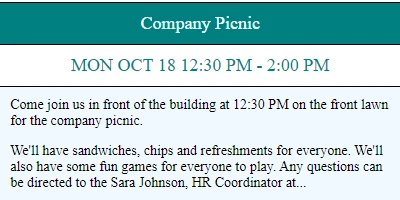
|
Create a Stunning Image Gallery with SharePoint List IntegrationCreating a nice looking image gallery in SharePoint is easy to do. The SharePointDashboards.com Image Gallery template enables displaying a nice looking image gallery using just a SharePoint list. This template is easy to configure. Just set the height and width of the images to be displayed and optionally include other settings such as a hyperlink to be included with each picture. The images are displayed as tiles in a SharePoint gallery view. If you want an easy and fast way to display images in SharePoint then this template can be set up in only a couple minutes. This template is one of many image related templates at SharePointDashboards.com. If you have not yet used this site, you can sign up for free access to 21 templates. Subscribers gain access to hundreds of template options. |
June 1, 2025
|
Mastering Date and Time Field Differences in SharePoint ListsDate Time fields are used for tracking key information in SharePoint lists. SharePoint doesn't provide a great way to see the different between two date time fields. Using SharePointDashboards.com it is possible to show the difference between date time fields in a user friendly manner. There are many format options to choose from. Select from many different date time formatting options then set the style of the output including colors, border and font style. Using this template is easy. Just use the provided Date Difference formatting template at SharePointDashboards.com. Adjust your options then copy and paste the template to your SharePoint list. Now the date time difference is prominently displayed in your SharePoint list view. This template is one of hundreds of templates available at SharePointDashboards.com. |
May 31, 2025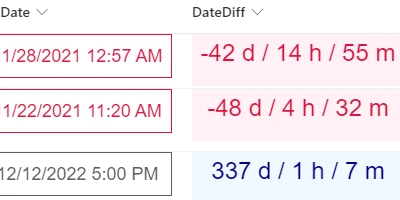
|
Mastering SharePoint List Date and Time FormatsFormatting Date Time fields in SharePoint lists is essential. Controlling the appearance of the information makes for a more user friendly experience. Out of the box SharePoint doesn't provide a good way to do this. Using the Date Format template at SharePointDashboards.com you can control the formatting of date time fields easily. Every part of the formatting is under your control. Formatting options allow you to choose whether to show the day of the week, the month name, hour, minutes and more. Optionally select to allow for inline editing which allows users to update the information directly from the SharePoint list view. The style of the output can be adjusted so that you can use whichever font style, colors and border that you want to fit your own environment. This is one of the easiest templates to use at SharePointDashboards.com. If you are new to SharePoint Dashboards, you can sign up for free access to 21 templates to get started today. |
May 30, 2025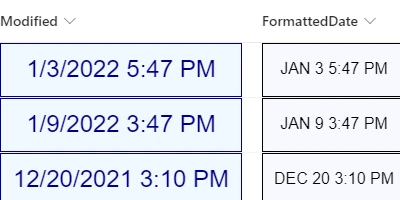
|
Mastering Data Visualization in SharePoint OnlineSharePoint Online does not include robust charting tools. The best way to be able to do charts in SharePoint Online is to use the charting templates available at SharePointDashboards.com. This site includes more than 35 different charting templates which can be set up and deployed in minutes. No software installation is required. Deploying templates can be done with simple copy and paste. These templates allow for creating charts based on SharePoint list data using JSON formatting templates. The best part about SharePointDashboards.com is that no coding is required. Adjust your settings to make your chart look exactly how you want then copy and paste the template to your SharePoint site. You can browse all the charting options here: charting options |
May 29, 2025
|
Build Dynamic SharePoint forms with no code using Infowise Ultimate FormsCustom forms are the heart of every SharePoint Solution. What's the best way to create custom forms in SharePoint? Microsoft offers simple options with SharePoint lists and Microsoft Forms that are OK for basic forms. For dynamic forms, Microsoft Power Apps is a developer oriented platform which requires creating logic through custom programming. The best option for non-SharePoint developers is the no code Form Designer tool from Infowise Ultimate Forms. Ultimate Forms Form Designer allows anyone to build custom forms without doing any programming. What makes it so easy to work with? In this article we'll take a close look at what makes Infowise Ultimate Forms so easy to use. |
May 28, 2025
|
















